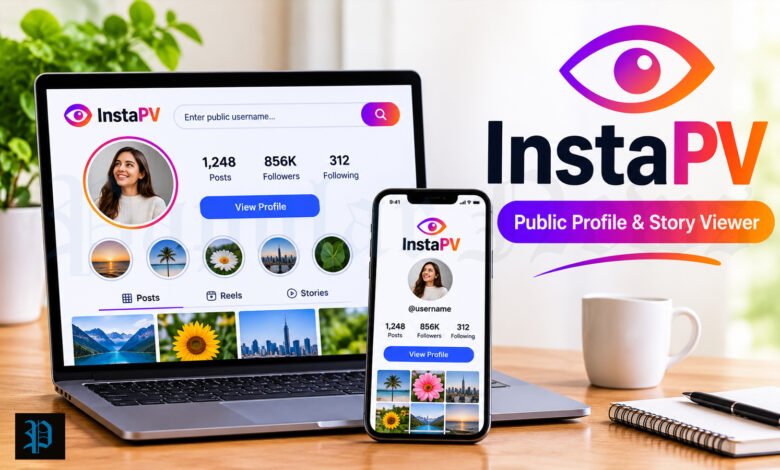
Have you ever wanted to look at someone’s Instagram story without them knowing? Maybe you wanted to check a brand’s page before you follow it. Maybe you are a creator who likes to see what other creators post. Or maybe you just like to keep your online life quiet. If so, you may have seen the name InstaPV in your search results.
InstaPV is one of the best known names in the world of anonymous Instagram viewers. But it also causes a lot of confusion. The website has moved. Several sites now use the same name. And many pages online make big promises that no tool can keep.
In this guide, we will explain what InstaPV is, how it works, what it can and cannot do, and how to use it in a safe way. We will also look at the privacy side, the price, the common problems, and some good alternatives. The facts come from independent reviews and tool pages that were published in 2026. Where the facts are not clear, we will tell you.
What Is InstaPV?
InstaPV is a web tool that lets you view public Instagram content without logging in. You open the site in your browser, type a public username, and the tool shows you what that account has shared. This can include stories, highlights, posts, Reels, and profile pictures.
The name comes from “Instagram Profile Viewer.” On some pages, people also read the “PV” as “private viewer.” This second reading is where many problems begin, and we will talk about it in a moment.
Here are the main things to know:
- InstaPV is a third-party tool. It is not made by Instagram or Meta, and it has no link to them.
- It works in a web browser. There is no official mobile app.
- It does not ask for your Instagram password for basic use.
- It only shows content from public accounts.
Think of it like looking at a shop window from the street. You can see everything that is on display, but you cannot walk into the back room. A public Instagram account is the shop window. A private account is the back room, and the door is locked.
A Quick Look at the History of InstaPV
InstaPV has been around in some form since the early 2020s. It is not a big company with a famous team. Most reviewers describe it as a simple utility site that does one job: it helps people view public Instagram content in a private way.
In 2026, the story got more complicated. The original website, instapv.com, is no longer active. After that, several new domains started to use the InstaPV name. These include instapv.ai, pvstory.com, instapv.works, and instapv.io.
Some news pages say that PV Story is the new home of the service that was once called InstaPV. They say the tools are the same, and only the name changed. Other pages say instapv.ai is the official site. At the same time, the PV Story site has called some of the other domains “copycat” sites.
So who is right? At the time of writing, no independent group has been able to confirm which website is the true successor. This matters a lot for your safety, and we will come back to it later in this article.
How Does InstaPV Work?
The way InstaPV works is quite simple once you see the steps. Here is what happens behind the scenes.
- You type a public Instagram username (or paste a profile link) into the search box.
- The InstaPV server sends a request to Instagram. It asks for the public data of that account.
- Instagram sees the request coming from the InstaPV server, not from you.
- The tool sends the content back to your browser, so you can watch or read it.
Because your own Instagram account is never part of this process, the account owner does not see your name on their story viewer list. In other words, you stay hidden. The tool acts like a middle man between you and Instagram.
This also explains why you do not need to log in. The tool does not use your account at all. It uses its own systems to get public information.
What Can InstaPV Do?
Different versions of the site list slightly different tools, but most reviews agree on the same core list. Here is what InstaPV says it can show.
Story viewer
This is the main reason most people visit. You can watch the current stories of a public account without being listed as a viewer. Some versions also let you save stories as video or image files.
Highlights viewer
Highlights are the story collections that people keep on the top of their profile. InstaPV can show these for public accounts. The free plan may limit how many you can see.
Posts and Reels viewer
You can look at recent photos, videos, and Reels from a public profile. This is helpful if you want to check an account before you follow it, or if you do not want to log in.
Profile picture viewer
On Instagram, a profile picture looks like a tiny circle. InstaPV can show a bigger version of a public profile picture, so it is easier to see the details.
Followers and following tools
Some versions of InstaPV also show follower and following data. One tool in this group tries to rebuild a list of the accounts that a profile followed recently. This can be useful if you work in social media and want to see who a brand or creator is connecting with.
There is one important warning here. These lists are built by the tool. They are not an official record from Instagram. That means they may be incomplete or wrong, so you should not use them as proof of anything.
What InstaPV Cannot Do
This part is just as important as the list above. Many people search for InstaPV because they hope it can do something that it cannot.
It cannot show private accounts
This is the biggest one. No honest tool can open a private Instagram profile. Instagram keeps private content behind a permission system. Only people who the owner has approved can see it. A third-party website cannot get around that.
If a website tells you it can show private accounts, you should be careful. Experts who review these tools say that such claims are used by scammers. The “private viewer” pages often lead to long surveys, app downloads, or fake login screens.
It cannot show who viewed your profile
Some people read “profile viewer” and think the tool will tell them who has looked at their own page. It does not. Instagram does not give any list of profile visitors to anyone, so no tool can build one.
It cannot read private messages
InstaPV has no access to direct messages. Any service that claims it can show someone’s messages is not telling the truth.
It is not always online
Instagram works hard to block automatic tools. When Instagram changes its systems, anonymous viewers can stop working for hours or even days. In July 2026, for example, several of these tools failed at the same time. They came back one by one after the people who run them made fixes. In June 2026, some users in the United States also saw error messages that said the content was “unavailable for legal reasons.”
So if InstaPV does not load one day, it may not be your fault. Try again later, or use a backup tool.
Is InstaPV Safe to Use?
This is the question most people ask, and the honest answer has two parts.
The good news first. For basic use, InstaPV does not ask for your Instagram login. That means your Instagram account is not at risk from the tool itself. You are only typing a public username into a search box.
Now the things to watch out for. There are a few real risks, and none of them are big if you stay alert.
Risk one: fake or copycat websites
Because the original site is gone and many sites use the same name, it is easy to land on the wrong one. A fake site may look the same, but it may have different owners and different rules. Some may try to collect your data or show harmful ads.
Here is how to protect yourself:
- Check the full web address before you type anything.
- Do not click on links from random comments or pop-up ads.
- Use a site that you found from a trusted review, and check that more than one source agrees.
Risk two: asking for your Instagram password
A real anonymous viewer only needs a public username. If a site asks for your Instagram password, a verification code, a recovery code, or a session cookie, close the page right away. This is a clear sign of a scam. You could lose your account.
Risk three: aggressive ads
InstaPV and similar tools are free, so they earn money from ads. Some of those ads can send your browser to other pages without your click. This is annoying, and in rare cases it can lead to bad websites. An ad blocker can help a lot here.
Risk four: unwanted apps and extensions
InstaPV describes itself as a browser tool only. If a page tells you to install a special app or browser add-on to use it, that is a warning sign. Official app stores may also have apps with the InstaPV name, but reviewers say these are copies and are often worse.
Risk five: your data on their side
Staying hidden from the Instagram user does not mean you are hidden from the tool. According to the tool’s own documents, as described in one review, InstaPV may collect things like your search activity, your device and browser details, cookies, and your rough location. Server logs may be kept for up to 30 days. The service says it does not sell personal information, but it does use outside companies for things like hosting, analytics, and payments.
This is normal for most websites. But it is good to know. If privacy is very important to you, you may want to use a VPN and read the privacy policy before you use any viewer.
The short answer
InstaPV is not a trap if you use the right site and follow simple safety rules. It is best to think of it as a tool for public content only. If a version of it starts to promise private access, you should walk away.
Is It Legal and Is It Allowed?
This is a gray area, so let us keep it simple.
Instagram’s rules do not allow people to scrape data with automatic tools. But those rules are mainly aimed at the companies that run the viewer sites, not at the person who watches a public story. One review says that visiting such a site and watching public content does not break any law for the normal user.
Still, laws are different in each country, and Instagram can block tools at any time. If you plan to use a viewer for work, such as for a company, it is wise to check the local rules and the tool’s terms first.
There is also an age rule. According to one review of the tool’s terms, users must be at least 16 years old. People under 18 may need the permission of a parent or guardian.
How to Use InstaPV Step by Step
Here is a simple way to use the tool in a safe way.
- Choose the right site. Pick the domain that you trust after you compare a few independent reviews. Check the spelling of the address.
- Turn on an ad blocker. This will help you avoid pop-ups and strange redirects.
- Type a public username. You can also paste the link to the profile. Do not add your own details.
- Pick the tool you need. For example, choose Story, Highlights, Posts, or Profile Picture.
- Watch or save the content. If you want to download something, check if your plan allows it.
- Close the page when you are done. Do not log in anywhere if the site asks you to.
If nothing loads, check three things. First, make sure the account is public. Second, check that you typed the username correctly. Third, remember that the tool may be down because of changes at Instagram.
InstaPV Pricing: Free and Paid Plans
InstaPV is free to start with, but there are limits. Reviews describe a few levels.
| Plan | What you get |
|---|---|
| Free | A small number of searches and previews. Older content and highlights are limited. |
| Profile Pro | More profile searches, but older content is still limited and there are no HD downloads. |
| Premium Viewer | More older content and highlights, plus HD downloads for media that is eligible. |
One listing shows a paid plan at about $2.99 a month. Another review says the page does not give clear prices. Because of this, you should always check the current price on the official page before you pay.
Here are some tips for paid plans:
- Read how the renewal works. Many subscriptions renew on their own until you cancel.
- Find out if cancelling ends your access right away or at the end of the period.
- Only pay on a site that you have checked, and never send payment details to a site that you reached from a pop-up.
For most people who only want to watch a few stories, the free plan is enough.
Who Uses InstaPV and Why?
People use anonymous viewers for many different reasons. Here are some common ones.
Social media managers. They may want to see what other brands post, without leaving a trace on their company account.
Creators and influencers. They like to look at trends and ideas from other creators without filling up their own feed.
Marketers and researchers. They study how accounts grow, who they work with, and what content gets attention.
Everyday users. Some people simply like to browse in a quiet way. They may want to check a public page before they follow, or they may not want an ex-colleague to know they looked at a story.
There is nothing wrong with wanting some privacy while you browse public content. However, it is good to think about how you use the tool. Looking at a public story is one thing. Using a tool to follow or bother a person who does not want attention is another. Please be kind and respect other people’s space.
Pros and Cons of InstaPV
Let us put it all in one place.
Pros
- Free to start, with no account needed.
- Easy to use in a normal browser.
- Your name does not show on the story viewer list.
- Works for stories, highlights, posts, Reels, and profile pictures.
- Extra features like the recent follow tool may help social media work.
Cons
- It only works with public accounts.
- The brand is confusing now, with many sites using the name.
- It can go offline when Instagram makes changes.
- Ads can be annoying, and some may redirect your browser.
- Free users face limits, and older content may need a paid plan.
- The tool still collects some data on its own side.
- One review gave the original site a score of 3.5 out of 5, and another calls it “serviceable but unremarkable.” In plain words, it does the job but it is nothing special.
Common InstaPV Problems and Easy Fixes
The site will not load
The tool may be down because Instagram changed something. Wait a few hours and try again. You can also try a backup tool.
It says “no stories found”
The user may not have an active story. Stories last only 24 hours. The account may also be private, or the username may be spelled wrong.
The page keeps opening new tabs
This is usually caused by ads. Turn on an ad blocker, close the extra tabs, and do not click on anything that looks like a prize or a warning.
I see a login box
Close the page. A real viewer does not need your Instagram login. This could be a fake copy of the site.
The download will not start
Free plans may not allow every kind of download. Check your plan, or try another browser.
Good Alternatives to InstaPV
Experts often suggest that you keep two or three tools in your bookmarks. That way, if one stops working, you can switch to another. Here are the ones that reviews mention most.
InstaNavigation. Many reviewers call this the most polished option. It has a clean look, supports highlights and Reels, and usually has better uptime. It is a good first choice if you want something steady.
AnonyIG. This tool is close to InstaPV in what it can do. It has a clean design and supports profile photos. It works well as a direct swap when InstaPV is down.
StoriesIG. This one is simpler and has weaker support for highlights. Reviewers say it has the lowest uptime of this group, so it is best as a last choice.
Whatever tool you pick, the same safety rules apply. Do not enter your password, do not install strange apps, and do not trust any site that promises private access.
Tips to Stay Safe When Using Any Instagram Viewer
Here is a short checklist you can keep.
- Never share your Instagram password, codes, or cookies.
- Check the website address each time.
- Use an ad blocker.
- Avoid apps and add-ons that claim to be the same as the web tool.
- Do not believe claims about private accounts, hidden messages, or profile visitors.
- Read the privacy policy before you pay for anything.
- Use a VPN if you want more privacy.
- Turn on two-step login on your own Instagram account, just in case.
How to Protect Your Own Instagram Privacy
If this article made you think about your own account, here are some easy ways to keep your content safer.
Make your account private. If you do not want strangers to see your stories and posts, switch to a private account. Then only approved followers can see your content, and tools like InstaPV cannot show it.
Use Close Friends for stories. You can share a story with only a small list of people. This is a good choice if you post personal things.
Check your follower list now and then. Remove people that you do not know.
Think before you post. Even a private account can be screenshot by a follower. Do not share anything that you would not want others to see.
Turn on extra login protection. This helps keep your account safe from hackers.
Final Thoughts
InstaPV is a simple tool with a clear purpose. It lets you view public Instagram content without logging in, and it keeps your name off the story viewer list. For a quick look at a public account, it can be useful.
But in 2026, you need to be more careful than before. The original site is gone, many sites use the same name, and no one can say for sure which successor is the real one. The tool can also go offline when Instagram makes changes, and ads can be a problem.
Most important of all, remember this: no tool can show private Instagram accounts, private messages, or the list of people who visited your profile. If a site says it can, it is not honest. Stay calm, keep your password to yourself, and use the tool only for what it can really do.
If you follow the safety tips in this guide, you can use InstaPV, or one of the other viewers, with much less worry.
Frequently Asked Questions
What does InstaPV mean?
InstaPV usually means “Instagram Profile Viewer.” It is the name of a web tool that lets you look at public Instagram content without logging in. Some pages also read the letters PV as “private viewer,” but that reading is misleading because the tool cannot open private accounts.
Is InstaPV free to use?
Yes, you can start for free. The free plan gives you a limited number of searches and previews. Older content, some highlights, and HD downloads may need a paid plan. Always check the current price and terms on the site before you pay.
Is InstaPV safe?
For basic use, it is fairly safe because it does not ask for your Instagram login. The main risks are copycat websites, ads that redirect your browser, and the data that the site itself may collect. Use an ad blocker, check the web address, and never type your Instagram password into any viewer.
Can InstaPV view private Instagram accounts?
No. Private accounts are protected by Instagram, and no honest tool can get around that. If a site says it can show private profiles, it is likely a scam that wants you to fill in surveys, install apps, or give up your login.
Will the person know that I viewed their story?
Not by name. InstaPV gets the public content through its own servers, so your Instagram account is not part of the request. Your name should not appear on the story viewer list. Remember that the tool itself may still log some basic data on its side.
Can InstaPV show who looked at my profile?
No. Instagram does not give anyone a list of profile visitors. Because of that, no tool can show you who viewed your page. Any service that says it can is not telling the truth.
Why is InstaPV not working for me?
There are a few common reasons. The account may be private. The user may have no active story. You may have typed the name wrong. Or the tool may be down because Instagram changed its systems. Wait a little while, try again, or use a backup viewer.
What happened to the original InstaPV website?
The original site, instapv.com, is no longer active. Since then, several other domains have used the InstaPV name or said they are the new home of the service. Reviews say there is no independent way to confirm which one is the true successor, so check carefully before you trust any of them.
Is there an official InstaPV app?
No. The service says it works only in a web browser. Apps in the app stores that use the InstaPV name are copies from other makers, and reviewers say they are often worse. Do not install an app or add-on just to use the tool.
What are the best alternatives to InstaPV?
Reviews often mention InstaNavigation, AnonyIG, and StoriesIG. InstaNavigation is usually seen as the most polished and steady option. AnonyIG is close to InstaPV in features. StoriesIG is more limited and is best as a last choice. Keep two or three tools saved so you always have a backup.
MORE INFORMATION STAY CONNECT FOR : PAPULAR NEWS